As a professional supplier of sublimation phone case consumables, we frequently receive inquiries such as: “Why are the colors off on my coated cases?” or “The patterns are blurry and ghosted—is it an equipment issue or a consumable issue?”
In reality, the transfer effect of sublimation coated cases depends primarily on parameter debugging and printing standards. Most issues stem from overlooking minor details. Today, we will break down several common pitfalls in the printing process and provide effective solutions to help you reduce waste and improve product quality.
Issue 1: Severe Color Deviation (Screen Visuals ≠ Finished Product)
Common Complaint: Bright reds in the design appear as muddy brown; deep blacks look grey or dull; or significant color variations occur within the same batch of cases. Many mistakenly blame the consumables, but the core issue usually lies in color management and equipment calibration.
Core Causes:
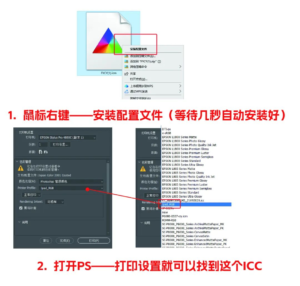
1.Missing the correct ICC profile for the printer, selecting the wrong color management mode, or using the incorrect paper type setting.
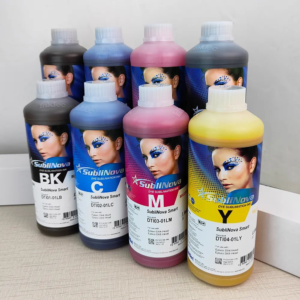
2.Mixing different brands of sublimation dyes, leading to inconsistent colors within the same batch.
Solutions:
1.Ensure printing inks and ICC files strictly match the specific brand and printer model to avoid color discrepancies and inconsistency.
2.Use professional sublimation dyes and avoid mixing brands. Perform small-batch test runs before full production to ensure color consistency.
Issue 2: Blurry Images / Lack of Detail / White Spots
Common Complaint: Pattern edges appear fuzzy and text is unclear after printing, especially with complex designs where fine details are lost. White spots on the surface significantly degrade product quality, a common issue for beginners.
Core Causes:
1.Design resolution is lower than 300 dpi, resulting in insufficient clarity and precision.
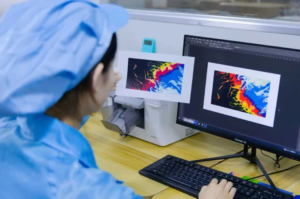
2.Dust or foreign particles on the surface of the coated case or film were not cleaned off before printing.

Solutions:
1.Ensure design resolution is ≥ 300 dpi, preferably in CMYK color format. Set the printer to “High Quality Glossy” mode.
2.Maintain a clean workspace (ideally a dust-free workshop).Use a blower or gloves to carefully remove dust from the film surface before printing.

Issue 3: Incomplete Printing / White Gaps
Common Complaint: Upon removing the film, the pattern is found to be incomplete. Edges, curved surfaces, and camera holes show missing patterns, white gaps, or faded colors.
Core Causes:
1.The ink on the printed film was not completely dry before the transfer process.
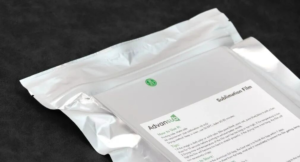
2.The film was stored improperly after opening, leading to moisture absorption.
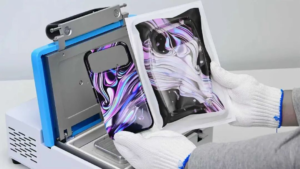
3.Sublimation jigs/molds were not fully preheated, causing uneven heat transfer.
Solutions:
1.Drying: After printing the film, bake it in an oven (50°C–55°C for 20 minutes) or use a hairdryer on a warm setting for 3–5 minutes to ensure the ink is bone-dry.
2.High Ink Loads: For solid or dark patterns that use more ink, use a hairdryer for an additional 5–10 seconds before transfer.
3.Storage: Reseal film packaging immediately after use; store in an environment with humidity below 50%.
4.Preheating: Preheat molds for 20 minutes before printing (Note: Oven temperature for preheating must not exceed 135°C).
Expert Tips from Your Sublimation Supplier
When these problems arise, many customers immediately suspect their machinery or ink. However, they often overlook the most critical factor: Coating Compatibility. Sublimation is essentially the process of dye turning into gas under high heat and penetrating the coating. If the coating quality is poor or incompatible with the process, even the best equipment cannot produce ideal results.

Our Recommendations:
1.Source Wisely: Prioritize suppliers who are qualified and can provide compatibility data and quality inspection reports. Avoid low-cost, inferior coated cases.

2.Standardize Procedures: Control the temperature and humidity of your workspace. Regularly maintain and update parameters for equipment, molds, and machinery.
3.Color Management: Establish a standardized color management workflow tailored to your specific printing equipment to eliminate batch-to-batch variation.
By mastering these “pitfall-avoidance” techniques, you can effectively reduce the scrap rate of sublimation phone cases, save costs, and enhance your product’s competitiveness.