


The sublimation transfer process is highly favored for its clear, durable patterns and bright, realistic colors, having become an important technology in the fields of personalized customization and high-end printing. However, any precision process relies on rigorous data support, and even a slight deviation may lead to the failure of the finished product.
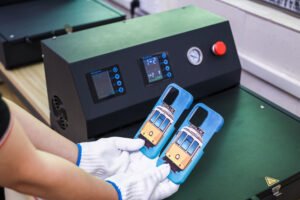
Today, from a professional perspective, we will list several common mistakes in printing, analyze their causes, and propose correct solutions.
I. Image Ghosting/Blurriness, Unclear Details, or Black/White Spots on the Printed Surface
Cause Analysis:
- Sublimation paper movement: Displacement occurs between the sublimation paper and the consumable during the pressing process of the heat press machine.
- Foreign object interference: Impurities such as dust, foreign fibers, or cutting residues on the surface of the consumable, heat press machine, or sublimation machine
Solutions:
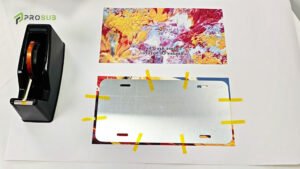
- Use high-temperature tape to firmly fix the four corners of the sublimation paper to the consumable to avoid displacement.
- Ensure the consumable and the pressure plate of the heat press machine are clean and free of foreign objects before operation.
- Timely clean impurities on the items before use and maintain the cleanliness of the printing workshop.
II. Incomplete Finished Product/Insufficient Sublimation
Cause Analysis:
- Substandard temperature or time: Insufficient heat energy and time are provided, resulting in inadequate ink sublimation and penetration.
- Uneven heating plate or base plate of the heat press machine, or deformation of the heating plate due to long-term use.
Solutions:
- Ensure the temperature and time are set correctly before operation (130℃~140℃ for 4~6 minutes).
- Regularly inspect, update the equipment, or replace the heating plate of the heat press machine.

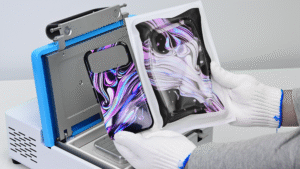
III. Unprinted Marks/Streaks in 3D Transfer
Cause Analysis:
- The pattern ink on the printed film sheet is not completely dry.
- Improper storage of the film sheet after opening the package leads to moisture absorption.
- The heat transfer fixture is not fully heated through, resulting in insufficient heat transfer.
Solutions:
- After printing the film sheet, place it in an oven for baking (50℃-55℃ for 20 minutes) to completely dry the ink before conducting the transfer. For solid-color or dark patterns that use a large amount of ink, it is recommended to blow them with a hair dryer for 5~10 seconds before transfer to ensure the pattern is fully dry.
- After opening thesublimation film package, promptly seal it for storage to prevent moisture ingress (the humidity of the storage area after opening should be kept below 50% as much as possible).
- Preheat the mold for 20 minutes before printing (Note: The preheating oven temperature shall not exceed 135℃).
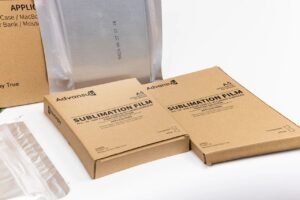
We hope this process pitfall guide can help you effectively avoid risks and mistakes in sublimation transfer operations. Only by approaching each operation with maximum patience and focus can we achieve the perfect color craftsmanship.

